1
Choose one action
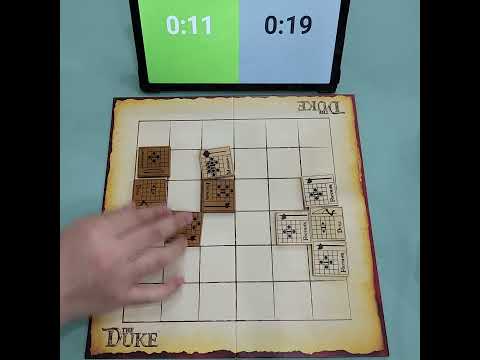
Each turn, perform exactly one of the following: move a tile, place a new tile, or use an enhanced ability
2
Move a troop tile
Select one of your tiles on the board and move it according to its movement grid, then flip it to the other side
3
Read the movement grid
The center square represents the tile's current position; icons in other squares show possible movements
4
Use Move icons (solid circle)
Move to the indicated space only if there is a clear straight path with no tiles blocking
5
Use Jump icons (empty circle)
Move to the indicated space, jumping over any tiles in the path
6
Use Slide icons (solid triangle)
Move any number of spaces in the indicated direction until blocked or choosing to stop
7
Use Jump Slide icons (empty triangle)
Slide in the indicated direction, ignoring any tile in the first adjacent space
8
Use Strike icons (star)
Capture an enemy tile at the indicated space without moving; still flip your tile afterward
9
Use Command icons (small triangles)
Move one of your other tiles from a Command space to another Command space, then flip the commanding tile
10
Capture enemy tiles
When your tile ends movement on a space occupied by an enemy tile, remove the enemy tile from the board
11
Respect Defense icons
Cannot capture a tile if your movement path passes through a space marked with their Defense icon
12
Place a new troop tile
Instead of moving, draw a random tile from your bag and place it starting-side up on any empty space sharing a side with your Duke
13
Handle surrounded Duke
If your Duke is completely surrounded, you cannot place new tiles and must move an existing tile
14
Announce Guard
When you move a tile that threatens to capture the opponent's Duke next turn, say "Guard"
15
Protect your Duke
You may not make any move that would allow your opponent to capture your Duke on their next turn
16
Understand Dread icons
Any tile (friendly or enemy) on a Dread icon space is frozen and cannot move or be captured until the Dread is removed
17
Use enhanced abilities
If playing with Enhanced Tiles (Duchess/Oracle), you may use one enhanced ability as your action